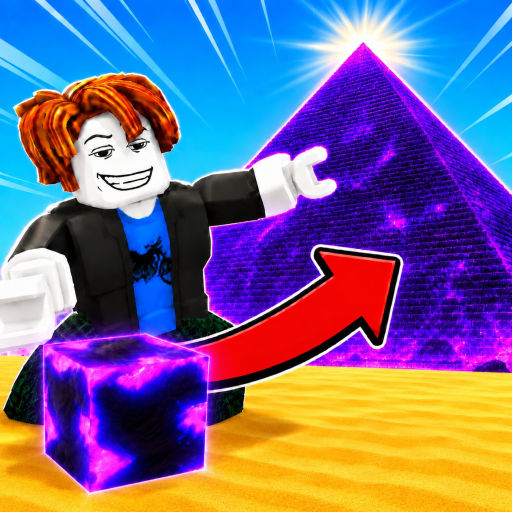
Build the Pyramid! Blocks Guide
Learn how Build the Pyramid! blocks move from quarry pickup to communal delivery and which upgrades improve that route.
Blocks are the working resource at the center of Build the Pyramid!: pick them up at the quarry, carry them to the active construction tier, and deposit them into the shared pyramid. Every useful upgrade should make one of those steps faster or less repetitive.
Trace one block from source to structure
Use Block Pick Up at the stone supply area, move toward the active pyramid, and use the deposit interaction at the current tier. The communal counter is your confirmation that the block reached the build. If the counter does not move, check whether you reached the active placement area rather than a finished section of the monument.
Recognize pickup and placement in motion
This gameplay video is useful for seeing how carried blocks and the pyramid site look during a normal run. Watch the pickup point, the player's route, and the moment the load leaves the character. Those visual cues are more useful than memorizing a direction that may depend on where you spawn.
Separate payload from handling
Carrying capacity determines how many blocks one trip can move. Bulk Pickup changes how many blocks are collected per tier, while Bulk Place changes how many are deposited per click. Placement Range expands reach. These mechanics affect different steps, so do not assume that a bigger payload automatically fixes slow pickup or awkward placement.
| Loop part | What it controls | Relevant improvement |
|---|---|---|
| Pickup | Blocks collected at the quarry | Bulk Pickup |
| Payload | Blocks carried per trip | Arm Strength capacity |
| Travel | Time between quarry and pyramid | Walk Speed |
| Deposit | Blocks placed per interaction | Bulk Place |
| Reach | How much of the build is accessible | Placement Range |
Use blocks as a diagnostic
A delivery loop exposes its own bottleneck. If you return to the quarry constantly, capacity is small. If loading or unloading takes longer than walking, look at Bulk Pickup or Bulk Place. If you reposition repeatedly along the pyramid face, Placement Range may be the better quality-of-life improvement. Change one factor, run the same route, and compare the counter movement.
Connect blocks to long-term progress
The reported server-wide monument requires 171,700 blocks, and contributors receive a pyramid completion when it finishes. That completion count opens stronger gym multiplier zones. Blocks are therefore more than a temporary object: consistent delivery links coin upgrades, shared construction, and longer-term training progress. Verify the current build state in the official Roblox experience.
Quick checklist
- Name the current bottleneck before training or spending.
- Change one variable, then repeat a comparable route.
- Confirm progress in the shared counter, payload, trip time, or unlocked gym.
- Recheck update-sensitive details in the live game.
Frequently asked questions
Where do blocks come from?
Pick them up at the stone quarry or supply area.
Where do I put blocks?
Carry them to the active pyramid tier and use the deposit interaction.
Are blocks shared?
Yes. Deposits advance the communal server pyramid.